API
Connect DINQ's talent search capabilities into your systems and tools via API.
DINQ's API lets you connect talent search and profile enrichment to your internal tools, ATS, recruiting workflows, or custom agent systems.
Use the API to:
- Trigger talent searches from your own product or workflow.
- Pull enriched candidate profiles into your pipeline.
- Add contact retrieval to outreach workflows.
- Run talent mapping across a skill cluster, company, research area, or market.
- Connect DINQ to AI workflows or custom agents.
What you can build
- ATS integration: Push enriched candidate data, public signals, and profile links into your applicant tracking system.
- Custom recruiting tools: Embed DINQ's natural-language talent search into internal dashboards or sourcing workflows.
- Talent market mapping: Analyze talent density across technical niches before opening or scaling a role.
- Agentic workflows: Use DINQ as a search and enrichment layer inside AI assistants or automated workflows.
API endpoint
POST https://api.dinq.me/v2/people/searchSearch parameters
| Parameter | Required? | Description |
|---|---|---|
query | Required | A natural-language search string describing the ideal candidate profile. |
limit | Optional | The number of profile results to return. Default: 10. Max: 100. |
active_time | Optional | Filters candidates by recency of public contributions or profile updates. Supports 30d, 180d, 1y, or a custom date range. |
sources | Optional | Restricts the search to specific data networks. Values include github, huggingface, company, scholar, or professional. |
Request example
curl -X POST https://api.dinq.me/v2/people/search \
  -H "Authorization: Bearer YOUR_API_KEY" \
  -H "Content-Type: application/json" \
  -d '{
    "query": "AI infrastructure founders in San Francisco",
    "limit": 10
  }'
API Playground
The API Playground lets you prototype and test search requests in the browser.
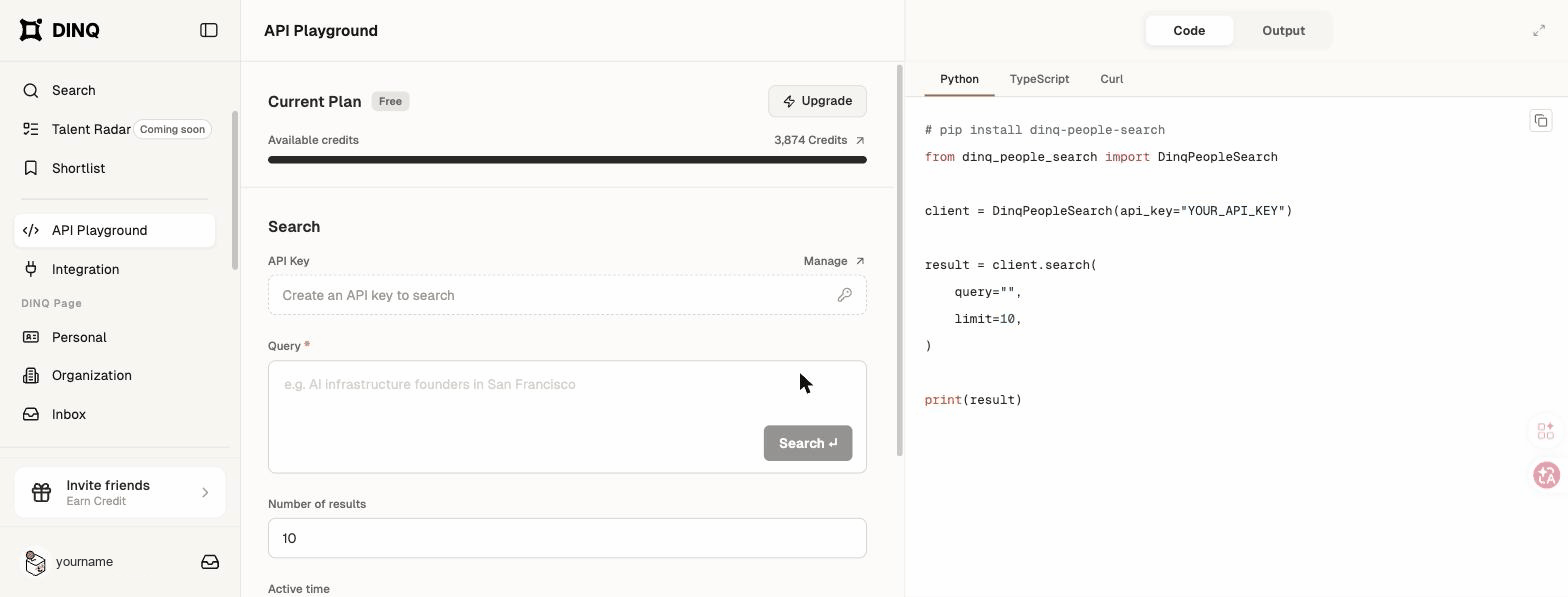
You can:
- Enter a natural-language query and adjust schema parameters.
- Run live test searches.
- Switch between visual candidate cards and raw JSON.
- Copy generated examples for Python, TypeScript, and cURL.
Authentication
Generate an API key from Settings > API keys.
API access is available on paid plans and consumes Credits. Keep your API keys confidential because they grant access to your account data.